
The quick answer
Start with fresh batteries of the exact type your manual names, fitted the right way round. If the lock is dead and you are outside, look for the 9V contact points or a mechanical key. If it still fails, check door alignment, clean the keypad, then restart or reset only as your own manual describes. Reset steps differ by brand and by model, so find the manual using the model number on the lock.
A lock that fails is a bigger problem than a remote that fails. It can leave you outside, or it can leave the door unlocked without you knowing. Most faults come down to a short list of causes: weak batteries, a door that has shifted, a dirty keypad or a lost connection. The manufacturer pages we read say the same thing in different words.
This guide gives a shared checklist first, then a section for each brand: Tru-Bolt, Samsung, PetSafe (a pet door, not a door lock), Yale, Schlage and Garrison. Where we could open a manufacturer manual or support page, the steps come from it and it is listed at the end. Where we could not, we say so, because the wrong reset sequence can wipe your codes.
Check These First, In Order
These steps apply to nearly every electronic lock. Work down the list and stop when the lock works.
- Use the right batteries. Brands differ. Schlage Encode and Yale touchscreen locks use four AA alkaline batteries. Schlage Touch and Schlage keypad deadbolts use one 9V alkaline battery. One Garrison manual lists four AA alkaline, and another Garrison manual lists three AAA alkaline. Do not guess from a different brand. Schlage's keypad guide says lithium batteries may last longer, but they fail quickly once they start to fade, so Schlage doesn't recommend them in those locks. A Tru-Bolt manual says not to use rechargeable or non-alkaline batteries.
- Replace the whole set. Yale says to replace all four batteries. Garrison and Samsung manuals say not to mix new and old, or different brands. Check the plus and minus ends against the markings in the compartment.
- Check the contacts and wiring. Yale's guide says to confirm the cable is fully connected to the circuit board and not pinched when the lock does not respond. Schlage's tip sheet says to tuck the battery wires so they are not crimped.
- Learn your lock's low-battery signal. Each brand uses different lights or beeps, covered below. A delay before the bolt moves is an early sign on Schlage keypad locks.
- If the lock is dead and you are outside, use the 9V contacts or the mechanical key if your model has one. Replace the batteries as soon as you are in.
- Check the door and strike plate. If the code is accepted but the bolt will not move, look for something between the door and frame and check that no second lock is engaged (Yale). Schlage's keypad deadbolt table points to cam and bolt positions that were set up wrongly. Our judgement: a door that has sagged can bind the bolt even with perfect batteries.
- Clean and test the keypad. A Yale touchscreen guide says to touch the screen with your whole hand or a larger area, and Yale's table says a lock that works but makes no sound may have audio turned off. Our judgement: wipe the keypad with a dry or barely damp cloth, and don't spray cleaner or lubricant into the lock body unless your manual says to.
- Wait out a lockout. Too many wrong codes pause most locks. Schlage keypad locks wait 30 seconds, one Garrison manual says 45 seconds, and Samsung manuals say about 3 minutes. On Yale locks, Lockout Mode can only be changed by the master user.
- Check the connection, for smart models. If the keypad works but the app does not, the problem is the Wi-Fi, Bluetooth, Z-Wave or hub link, not the lock itself. Keep the phone or hub within range and restart the hub. Our judgement: install app and firmware updates only while the door is open and you are inside.
- Restart before you reset. A restart (power-cycle) keeps your codes. Many makers don't document one for every model, so look for it in your manual first.
- Treat a factory reset as the last step. Yale says a reset on its touchscreen locks deletes all user codes, including the master PIN code. Write down your codes and settings before you try it, and use only the reset method for your exact model.
How to find your own manual
The model number is on a label, usually on the door edge of the lock body or inside the battery cover. Search the brand's support site for that number, or read the printed card in the box. Schlage's guide sends owners to answers.schlage.com for videos and troubleshooting. If your lock isn't covered below, this is the only reliable way to get the right reset steps.
Tru-Bolt Electronic Locks

Tru-Bolt locks come in several shapes: deadbolts, levers and knobs. Their manuals differ, so the points below are examples from the manuals we found, not rules for every model. We could not open a full manual for every model.
- Batteries: One Tru-Bolt deadbolt manual says the lock needs four high quality AA alkaline batteries and warns against rechargeable or non-alkaline batteries. Check your own model's battery count.
- Low battery: A Tru-Bolt lever manual lists beeps for 5 seconds as low voltage, and four short beeps with a red LED flashing four times as super low voltage. It also lists a long beep plus a short beep with a green LED as a chip reset that can happen occasionally. Its fix for odd behavior is fresh alkaline cells with the right polarity.
- Reset: The manual for the Infinity knob describes a reset button on the circuit board behind the back panel, pressed until you hear one beep. Other models may differ, so read yours before opening anything.
- Help: One Tru-Bolt manual lists customer service at 1-800-860-1677 and installation videos at TruBoltLocks.info.
If you can't find your model's manual, work through the shared steps above. Skipping to a reset is the riskiest move, because it may erase codes you will have to re-enter.
Samsung Digital Door Locks
Samsung made many digital door lock models (SHS, SHP and others), and the manuals vary. The two we could read agree on the main points.
- Batteries: The SHP-DS705 and SHS-1321 manuals both use four AA batteries and recommend alkaline. The SHS-1321 manual says to replace all of them at once and not mix new and used.
- Low battery: The SHP-DS705 plays a melody and lights a low battery indicator. The SHS-1321 plays a "Fur Elise" melody and says to replace the batteries within one week. Once the batteries are discharged, automatic locking stops.
- Dead batteries: Both manuals say to hold a 9V battery to the external power contact on the outer body. The SHP-DS705 says to hold it for at least 2 seconds, then present a registered card or key tag, or enter your password.
- From inside: Press the OPEN button on the inner body, or turn the manual knob with the door locked. The SHS-1321 manual also says to carry or keep at least one emergency key outside the house.
- Lockout: After five wrong passwords or an invalid card, these locks pause for about 3 minutes.
Neither manual we read documented a factory reset. Menu and reset steps vary by model, so get the manual for your model number (printed on the lock) before attempting one. Don't follow a reset sequence from a forum post.
PetSafe Smart Door (a Pet Door, Not a Door Lock)
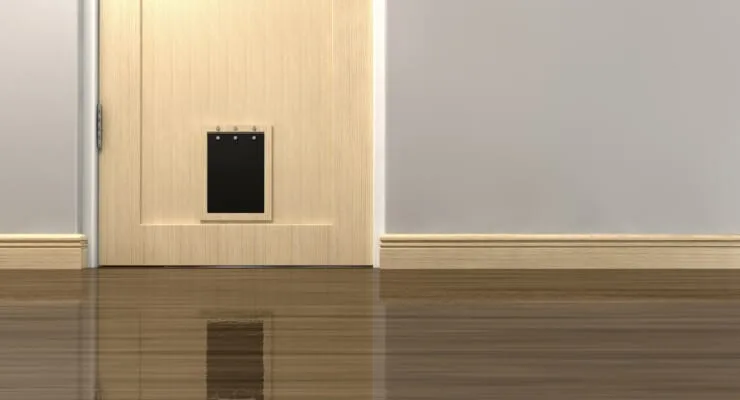
The PetSafe SmartDoor is a connected pet door. It unlocks its flap when it senses your pet's Pet Door Key or microchip. It does not secure your house, so a "not working" fault means the flap won't open for the pet. PetSafe's support article gives this order.
- Take the Pet Door Key off your pet before troubleshooting.
- Wave a hand over the motion sensor to light the indicators. On battery power the battery light should be solid blue. If it is red or there are no lights, replace the alkaline batteries. On adapter power, check the adapter is seated in the bottom of the door and the outlet works.
- Set the door to standard mode, release the flap lock with the button in the battery compartment or the app, and push the flap. If it won't open, it may be stuck or jammed.
- Clean the door, latches and sensors. PetSafe says that if the motion sensors are covered, the flap stays locked.
- Return to Smart Mode and check the access setting: Full Access, In Only, Out Only or No Access.
- Hold the key about 8 inches from the door at the height your pet wears it. If it only works when you hold it, the pet may be too low, and a larger key can help.
The key battery is separate. A flashing red light on the key means it is low. PetSafe says to use only RFA-67 batteries, because third-party batteries can cause faults, and to stand at least 10 feet from the door when you swap it and test.
Yale Smart Locks
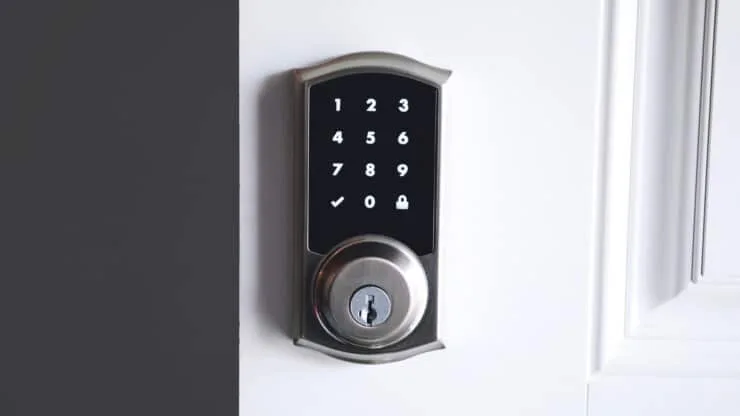
Yale's Assure range includes keypads, touchscreens and Wi-Fi models, and the details vary. Yale's keypad troubleshooting guide and a manual for the Assure SL touchscreen cover these points.
- Batteries: The guides say to replace all four AA alkaline batteries when you see intermittent red flashes. A touchscreen lock can be powered briefly with a 9V battery on the terminals below the touchscreen, then you enter your PIN. Either polarity works, per the manual.
- Locked and unresponsive: Yale says batteries may be fully discharged. For models with a key, enter with the key, then replace the batteries.
- Code accepted but door won't open: Check for another locking device, foreign objects between the door and frame, and that the cable is firmly connected to the circuit board.
- Won't re-lock: Check that Auto Re-lock is enabled and look at the low battery indicator.
- "Invalid code" or timeout: Lockout Mode is probably on, and only the master user can change it.
- Network models: After new batteries, the lock's clock may need setting through the interface, especially where Daylight Saving Time applies.
- Factory reset (SL touchscreen): Remove the batteries and interior escutcheon, hold the reset button for at least 3 seconds while reinstalling the batteries, and set a new master PIN before doing anything else. All user codes, including the master, are deleted. Other Yale models use different sequences.
Schlage Locks
Schlage models use different batteries, which is where much of the confusion comes from.
| Model family | Battery | Low-battery sign | If completely dead |
|---|---|---|---|
| Encode smart Wi-Fi deadbolt | Four AA alkaline | Flashing red battery icon is low; solid red means replace immediately | Check your Encode manual |
| Touch touchscreen (BE375, FE695) | One 9V alkaline | Low battery icon; flashing red means critically low | Hold a new 9V on the contacts below the touchscreen, enter your code, then change the battery |
| Keypad deadbolt BE365 and keypad locks FE575, FE595 | One 9V alkaline | Delay before the bolt moves, then blinking red | Key override |
- Replacement timing: The keypad guide says to change the battery each year when you test your smoke alarms.
- Lithium: The guide says lithium may last longer but fails quickly, so it doesn't recommend it for the keypad deadbolt.
- Keypad doesn't light: Too many wrong codes. Wait 30 seconds. If it still doesn't respond, replace the battery.
- Green flash but the bolt stays put: The BE365 table says the lock is malfunctioning and to call customer service. It also lists installation faults for bolts that won't extend.
- Reset: The keypad guide has a Restore Factory Settings section with a warning. Follow it for your model, and note the default programming code first.
Garrison Electronic Locks
Garrison manuals are not alike, so match the sequence to your model number. We found two.
- 046-7247-4 (touchscreen lever): Four AA alkaline batteries. Don't mix alkaline with zinc-carbon or different brands. A blinking red light and 10 short beeps mean replace immediately. Settings stay in memory even if the batteries die completely. Five wrong codes stop the lock for 45 seconds. The manual lists support at 1-800-268-6591.
- 046-7845-0 (electronic deadbolt): Three AAA alkaline batteries. Low battery gives 10 rapid beeps. Its manual lists short battery life from mixing types or brands as a fault.
The two models reset differently. On the 046-7247-4: remove the batteries, touch the keypad for three seconds, reinstall them, and when the keypad lights press 2, 5, 8 and 0 in any order. Three long beeps confirm the reset. On the 046-7845-0: insert a pin into the hole under the bottom opening for five seconds, until three long beeps. Both manuals give the factory programming code as 0000 and the user code as 1234. Use the sequence for your model only, and change those codes afterwards.
When to Call a Locksmith or Replace the Lock
- The lock flashes green or chimes but the bolt won't move after fresh batteries, and the door and frame are clear. Schlage's own table calls this a malfunction and says to contact customer service.
- The outside thumbturn won't spin freely after the bolt is thrown. Schlage lists this as a malfunction. Our judgement: a binding bolt often means the door or strike plate needs adjusting, which a locksmith can do.
- You are locked out and there is no 9V port or key. Call a locksmith. Don't force a door.
- It fails again after a reset and new batteries. Contact the manufacturer first if it is under warranty, then replace it if the repair cost is close to the cost of a new lock.
- Corrosion or water damage inside. Our judgement: replace it.
A Short Security Note
Change the factory codes. The two Garrison manuals list default codes of 0000 and 1234, and Schlage keypads ship with a default programming code printed on the guide and keypad. Keep a spare key somewhere safe, away from the door. Remove old codes when people move out. Replace the battery on a schedule, not when the lock fails.
Frequently Asked Questions
What is the first thing to check when an electronic door lock stops working?
The batteries. Fit a full set of fresh batteries of the type your manual names, with the correct polarity. Schlage, Yale and Samsung manuals all point to batteries first, and Yale notes that dead batteries are the usual cause when the lock is locked and unresponsive.
Can I open my lock if the batteries are completely dead?
Often yes. Many keypad and touchscreen locks have two contacts where you hold a 9V battery to power the lock for one entry, and some have a mechanical key. Schlage Touch and Yale touchscreen locks document the 9V method, and Samsung locks document a 9V contact port. Check your own manual, because not every model has either option.
Does a factory reset fix a lock?
It can, but it deletes your settings. Yale says a reset on its touchscreen models deletes all user codes, including the master code. Garrison, Yale and Tru-Bolt reset steps differ by model, so use the sequence in your manual, not one from another lock.
Is the PetSafe Smart Door a lock for people?
No. It is an electronic pet door that unlocks its flap when it senses your pet's key or microchip. Its fixes are about power, sensors, the flap, the mode setting and the pet's key battery.
Which batteries should I use in a smart lock?
The ones your manual names. Schlage Encode and Yale touchscreen locks use four AA alkaline cells, while Schlage Touch and Schlage keypad deadbolts use a 9V alkaline battery. Schlage does not recommend lithium batteries in its keypad deadbolts because they fail quickly once they start to fade.
Sources
- Schlage Keypad Locks User Guide (BE365, FE575, FE595) (9V battery, lithium note, key override, troubleshooting table, reset)
- Schlage Touch tip sheet (9V battery and emergency jump start)
- Schlage Encode tip sheet (four AA alkaline, battery icons)
- Yale Assure Lock keypad troubleshooting guide (symptoms, low battery, lockout)
- Yale Assure Lock SL programming and troubleshooting guide (hosted by HomeControls) (9V emergency power, factory reset)
- PetSafe: SmartDoor stays locked when my pet approaches (power, sensors, flap, modes)
- PetSafe: change the electronic pet door key battery (RFA-67 battery)
- Samsung SHP-DS705 manual (ManualsLib) (batteries, 9V contact, lockout)
- Samsung SHS-1321 manual (ManualsLib) (batteries, low battery melody, 9V, emergency key)
- Garrison 046-7247-4 manual (ManualsLib) (batteries, reset, lockout, support number)
- Garrison 046-7845-0 manual (ManualsLib) (3 AAA batteries, pin reset)
- Tru-Bolt Infinity electronic door knob manual listing (ManualsFile) (support number, reset button)