
The quick answer
Do a power reset first. On an Xbox One S or One X, unplug the power cord from the console, wait 10 seconds, plug it in and press the Xbox button. On the original Xbox One, unplug the power brick from the wall and the console, wait 10 seconds, plug it into the wall only, and read the brick's light. Microsoft doesn't list a beep code for this fault. If both resets fail, the console or brick needs service.
An Xbox that makes a sound and then does nothing is annoying, and the cause is usually the power supply. Microsoft's own support pages point there first. They also warn that if you skip steps, you can end up ordering a new power supply when the console is what's broken.
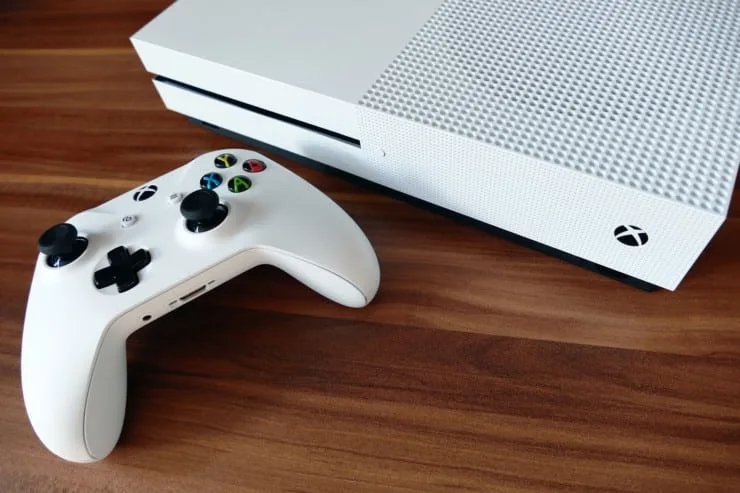
The first job is to find out which Xbox One you have, because the original model has a separate power brick and the S and X don't.
Which Xbox One do you have?
The original Xbox One comes with an external, fan-assisted power supply. Microsoft says the One S and One X have an internal power supply, so there's no brick to reset. If a big brick sits on your power cable, you have the original model.
| Console | Power supply | First reset |
|---|---|---|
| Xbox One S, Xbox One X | Internal | Unplug the cord from the console for 10 seconds |
| Original Xbox One | External brick | Unplug the brick from the wall and the console for 10 seconds, then check its light |

Xbox One S and One X
Microsoft's page for consoles that won't turn on says to reset the internal power supply, because power problems are often caused by a power supply resetting after a surge. The steps:
- Unplug the power cord from the console.
- Wait 10 seconds.
- Plug the cord back into the console and press the Xbox button on the front.
If it still doesn't start, Microsoft lists three more checks: that the wall outlet works with another device, that the cable is firm at both ends, and that you're using the cable that came with the console and it's the correct one for your region. If none of that works, Microsoft says the console needs service, which you request by signing in to Device service and repair with your Microsoft account.
Original Xbox One with the power brick
Microsoft's power-supply reset page gives these steps:
- Unplug the power cables from the console, the wall outlet and the power supply.
- Wait 10 seconds.
- Plug the cable firmly into the wall outlet and the power supply. Don't plug the brick into the console yet.
- Look at the light on the brick. It will be on, off or blinking.
If the light is on, plug the brick into the console and check that the light stays on. If it does, press the Xbox button. If the console still won't power up with the light on, Microsoft says the console needs service. If the light is off or flashing orange, Microsoft says the power supply needs to be replaced.
Microsoft also states that the original Xbox One and its power supply are no longer made, and that out-of-warranty support is no longer available for this model. A dead brick on an old console may not have an official fix.
Do a full power cycle
This is what many sites call a hard reset. Microsoft calls it a physical power cycle, and says it doesn't erase games or data. Hold the Xbox button on the front of the console for about 10 seconds until it turns off completely, then unplug the power cable, wait at least 10 seconds, plug it back in and press the Xbox button. Microsoft says to wait that long because it resets the power supply.
A power cycle is different from a factory reset, which does clear the system. Don't do a factory reset for a no-power problem.
What the beep means
I couldn't find any Microsoft page that lists what a beep means when an Xbox One won't turn on. Forum threads describe a beep with no power, and some link it to a power supply or a motherboard fault. Those are owner reports, not Microsoft documentation, so I wouldn't rely on them. My guess, and it is only a guess, is that a beep means something is getting power, so use the checks above to narrow down which part has failed.
One sound Microsoft does document: if you hold the Pair and Eject buttons while pressing the Xbox button, you'll hear two power-up tones a couple of seconds apart as the console opens the Startup Troubleshooter. It only happens with that button combination.
Heat and ventilation
If the console powers off by itself, Microsoft says it may be too hot. Turn it off, wait at least an hour, move it somewhere with good airflow and try again. Remove anything on, under or right next to it.
For the original brick, Microsoft says not to block the vents, not to leave it on a bed, sofa or other soft surface, and not to put it inside a closed cabinet without airflow. If the brick is noisy, plug it straight into a wall outlet, because Microsoft says an overloaded power strip can be the cause.
When to stop and get service
- You've done the power reset and the power cycle and nothing changed.
- The brick's light stays off or flashes orange.
- A cord or brick is damaged. Microsoft says to stop using it immediately.
Don't swap in a non-Microsoft power supply. Microsoft warns that unlicensed accessories can damage the console and void the warranty, and that the brick contains a fuse that can't be replaced.
Frequently Asked Questions
Will a hard reset erase my games or data?
A power cycle doesn't. Microsoft says restarting or power cycling doesn't erase games or data. A factory reset is a different action and does clear the console, so don't do one for a no-power problem.
Why does my Xbox One turn off when I connect to Wi-Fi or a few minutes after starting?
Microsoft's page on unexpected shutdowns lists overheating and a power supply fault as the likely causes. Give it an hour to cool, improve airflow and plug it directly into a wall outlet, not a surge protector or extension cord.
How do I know if the power brick is bad?
On the original Xbox One, unplug everything for 10 seconds, plug the brick into the wall only and look at its light. Microsoft says a light that stays off or flashes orange means the power supply needs to be replaced.
Why won't my Xbox One turn on after a power outage?
Microsoft says power problems are often caused by the power supply resetting after a surge. Do the power reset for your model and try a different wall outlet.
Sources
- Xbox Support: My Xbox console won't turn on (internal power supply reset, outlet and cable checks, service)
- Xbox Support: Reset your Xbox One power supply unit (original Xbox One brick steps, light states, end of out-of-warranty support)
- Xbox Support: How to restart or power cycle your Xbox console (holding the button 10 seconds, unplug and wait, no data erased)
- Xbox Support: About the original Xbox One power supply (external fan-assisted brick, placement, fuse, unlicensed accessories, damaged cords)
- Xbox Support: Troubleshoot Xbox console unexpectedly turning off (heat, ventilation, plugging into the wall)
- Xbox Support: Troubleshoot Something went wrong startup errors (Startup Troubleshooter button combination and its two power-up tones)
Microsoft's pages don't explain the beep, so my reading of it is judgment. Microsoft changes these pages, so check the current version for your console.